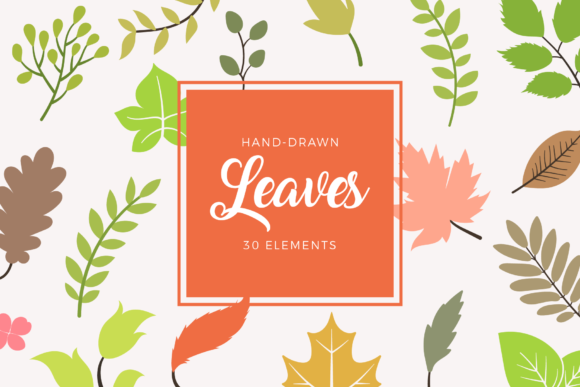
Leaves Floral Elements Clipart Set: A Practical Guide to Avoiding Common Design Pitfalls
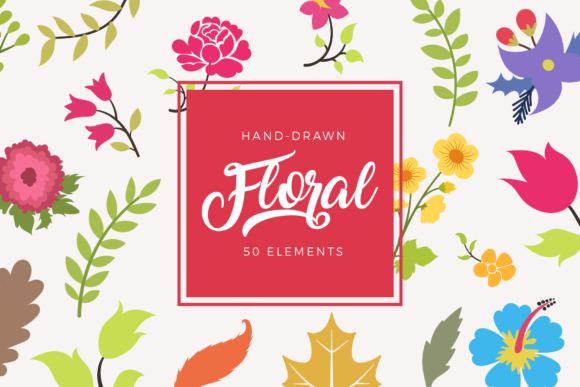
Creating professional-grade botanical designs often hinges on the quality of your source assets. The Leaves Floral Elements Clipart Set provides a comprehensive library of 100 hand-drawn vector shapes designed to bridge the gap between amateur crafting and professional graphic design. Whether you are producing wedding invitations, designing merchandise for an online store, or creating educational materials, having access to ready-to-use leaves and floral elements can significantly streamline your workflow. However, owning high-quality assets is only half the battle. Many creators, from beginners to seasoned freelancers, inadvertently compromise their final output by misunderstanding file formats, neglecting composition balance, or overlooking licensing specifics.
This collection includes AI Illustrator files, individual EPS vectors, PNGs, and SVGs. While this versatility is a major advantage, it also introduces decision fatigue. Choosing the wrong format for a specific application can lead to pixelated prints, uneditable layers, or unnecessary file bloat. Understanding how to leverage these specific features correctly ensures that your t-shirts, mugs, greeting cards, and wall art maintain the crisp, organic aesthetic intended by the hand-drawn style.
Selecting the Correct File Format for Your Medium
One of the most frequent mistakes creators make when using the Leaves Floral Elements Clipart Set is defaulting to PNG files for every project simply because they are familiar. While PNGs are excellent for digital overlays or quick mockups due to their transparent backgrounds, they are raster-based. This means they have a fixed resolution. If you attempt to scale a PNG leaf element up for a large shopping bag or wall art print, you risk losing edge definition and introducing artifacts.
The Better Approach: Always prioritize vector formats (AI, EPS, or SVG) for any physical product or scalable design. Use the individual EPS or SVG files when working with cutting machines like Cricut or Silhouette for stickers and decals. These formats maintain mathematical precision at any size. Reserve the AI Illustrator file for complex compositions where you need to recolor multiple elements simultaneously or adjust anchor points to create custom variations. Only use the individual PNG files for web graphics, social media posts, or digital planners where print resolution is not a concern.
Overlooking the Value of Individual Files
Another efficiency killer is importing the entire master set into a single canvas. Some users open the main AI file containing all 100 shapes and attempt to work within that massive artboard. This practice slows down software performance and increases the likelihood of accidentally moving or deleting unrelated elements. It also complicates exporting, as you may end up with unwanted whitespace or adjacent graphics in your final cut file.
Instead, utilize the included individual EPS and SVG files. These are pre-isolated assets ready for immediate placement. Dragging a single, clean vector file into your workspace keeps your project organized and lightweight. For entrepreneurs managing high-volume production for items like mugs or frames, this modular approach saves hours of cleanup time and reduces the margin for error during the export process.
Composition and Stylistic Consistency
Having 100 hand-drawn elements does not mean you should use them all at once. A common design failure occurs when creators overcrowd their layouts, resulting in visual noise rather than elegance. Botanical clipart is meant to enhance content, not obscure it. When designing wedding invitations or greeting cards, negative space is just as important as the floral elements themselves.
Practical Advice: Treat the Leaves Floral Elements Clipart Set as a modular toolkit rather than a stamp collection. Select three to five complementary pieces that share a similar stroke weight and curvature. Because these are hand-drawn vectors, they possess natural imperfections that add charm. However, mixing too many disparate elements can make the design look disjointed. Create hierarchy by varying opacity or size rather than adding more distinct shapes. For example, use larger, darker leaves as a base layer and smaller, lighter florals as accents to guide the viewer’s eye toward the text or focal point.
Color Management and Customization Errors
Many users accept the default color palette provided in the clipart set without adjustment. While the preset colors are aesthetically pleasing, they may not align with your specific brand identity or the seasonal theme of your project. Relying solely on pre-colored assets limits the utility of the set and can make your products look generic.
Since this set includes editable AI and EPS files, take advantage of global swatches or recolor tools. Before finalizing a design for t-shirts or shopping bags, test your color adjustments on a small sample. Screen colors often differ from print outputs, especially with organic greens and earth tones. Additionally, ensure you are modifying the fill and stroke attributes separately. Hand-drawn vectors sometimes have textured strokes; changing only the fill color while leaving a black outline can create a harsh, unnatural contrast. Adjust both attributes to maintain the soft, artistic integrity of the illustration.
Evaluating Quality and Usability Before Purchase
If you are currently evaluating whether the Leaves Floral Elements Clipart Set meets your needs, look beyond the preview thumbnails. Marketing images are often stylized to hide technical flaws. As a discerning buyer, you should verify specific technical details to avoid post-purchase frustration.
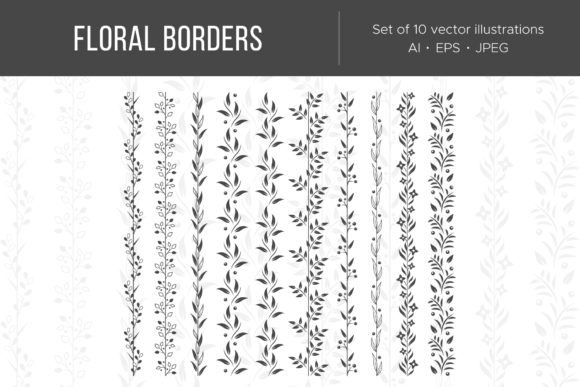
- Check Anchor Point Cleanliness: Zoom in on the vector previews. Poorly digitized hand-drawn art often has excessive anchor points, which creates jagged edges when scaled or cut. High-quality vectors should have smooth curves with minimal nodes.
- Verify Layer Organization: Ensure the AI or EPS files have logical layer structures. Elements grouped chaotically make editing tedious. Well-organized files allow you to isolate petals, stems, and leaves easily.
- Assess Style Cohesion: Confirm that all 100 shapes were drawn with the same brush settings and artistic hand. Inconsistent line weights across a set can ruin the professional appearance of a cohesive collection like wedding stationery.
- Review Licensing Terms: Understand exactly what "ready to use" entails for commercial projects. Verify if there are limits on physical product sales or if digital redistribution is prohibited. Clarifying this upfront prevents legal issues for small business owners and marketers.
Avoiding Resolution Mismatches in Print Production
Even experienced designers occasionally misjudge resolution requirements for mixed-media projects. You might successfully use SVGs for vinyl stickers but then try to incorporate those same rasterized exports into a high-DPI brochure layout. This inconsistency becomes glaringly obvious in professional printing.
Maintain a strict separation between your vector masters and your raster exports. Keep your source files in AI or EPS format within your project folders. Only generate PNG or JPG derivatives at the exact dimensions and DPI required for the final output. For wall art and framed prints, aim for 300 DPI at actual print size. For web-based greeting cards or digital stickers, 72 DPI is sufficient. By respecting the native vector nature of the Leaves Floral Elements Clipart Set, you ensure that every application—from delicate jewelry tags to bold tote bags—retains the sharpness and character of the original hand-drawn artwork.
Ultimately, the value of this clipart set lies in its flexibility and the user's ability to apply it with intention. By avoiding format errors, respecting compositional balance, and verifying technical quality, you transform a simple asset pack into a powerful engine for creative and commercial success. Take the time to learn the nuances of the included file types, and your botanical designs will consistently stand out for their professionalism and polish.