Mastering Digital Botanicals: A Complete Guide to Using Bouquet Floral and Leaves PNG Files
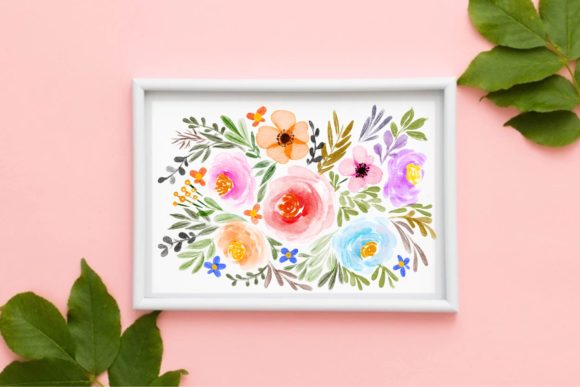
In the expansive world of digital design, few elements possess the timeless elegance and versatility of botanical imagery. Whether you are crafting a wedding invitation, designing product packaging, or creating social media content for a wellness brand, floral graphics serve as a universal language of beauty and organic connection. Among the various formats available to designers, the Bouquet Floral and Leaves PNG stands out as an essential asset. Specifically, files sized at 3000px x 2000px offer a unique balance of high-resolution clarity and manageable file size, making them a staple in modern creative workflows.
Understanding how to select, utilize, and optimize these specific image files is crucial for both novice creators and seasoned professionals. This guide explores the significance of transparent floral assets, their practical applications across industries, and the technical nuances that ensure your designs look professional rather than pixelated.
Understanding the Format: Why PNG Matters for Florals
To fully appreciate the value of a bouquet floral and leaves PNG, one must first understand why this specific file format dominates the botanical design niche. Unlike JPEGs, which compress images and often introduce unsightly artifacts around fine details, PNG (Portable Network Graphics) utilizes lossless compression. This distinction is vital when dealing with organic subjects like flowers and foliage.
The Power of Transparency
The primary reason designers seek out PNG files for florals is transparency. Botanical elements rarely fit into neat rectangular boxes. A sprawling eucalyptus branch or a delicate peony bouquet has irregular edges that need to blend seamlessly with backgrounds of any color or texture. A PNG file supports an alpha channel, allowing the background to be completely removed while preserving the intricate details of petal edges and leaf veins. This capability allows for non-destructive layering, enabling creators to place florals behind text, over photographs, or within complex UI elements without the visual interruption of a white box.
Lossless Quality for Organic Details
Flowers are defined by subtle gradients and microscopic textures. Lossy compression formats often muddy these details, resulting in "banding" in color transitions or blurring in sharp areas. Because PNG is lossless, every pixel of the original scan or digital painting is preserved. When working with a 3000px x 2000px canvas, this fidelity ensures that the velvet texture of a rose or the serrated edge of a fern remains crisp, even when viewed on high-density retina displays.
The Significance of 3000px x 2000px Dimensions
Resolution is often misunderstood in digital asset management. While "bigger is better" is a common assumption, excessive resolution can hinder workflow efficiency without providing tangible benefits. The 3000px x 2000px dimension represents a strategic sweet spot for several reasons.
- Print Versatility: At standard print resolution (300 DPI), a 3000x2000px image yields a physical print size of approximately 10 inches by 6.67 inches. This is sufficient for most stationery items, including greeting cards, flyers, book covers, and magazine spreads.
- Digital Dominance: For web and screen use, this resolution is exceptionally high. It allows designers to zoom in for macro details or crop specific flowers from a larger bouquet arrangement without losing quality. Most social media platforms display images at widths between 1080px and 1920px, meaning a 3000px wide asset provides ample headroom for resizing.
- Performance Balance: Files significantly larger than this dimension can slow down design software like Photoshop or Canva and increase website load times if not optimized. The 3000x2000px size maintains professional quality while keeping file sizes reasonable for cloud storage and collaboration.
Practical Applications in Modern Design
The utility of bouquet floral and leaves PNG files extends far beyond simple decoration. These assets solve specific design problems across multiple sectors.
Wedding and Event Stationery
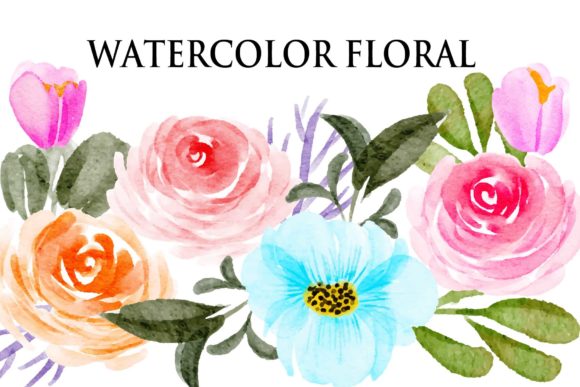
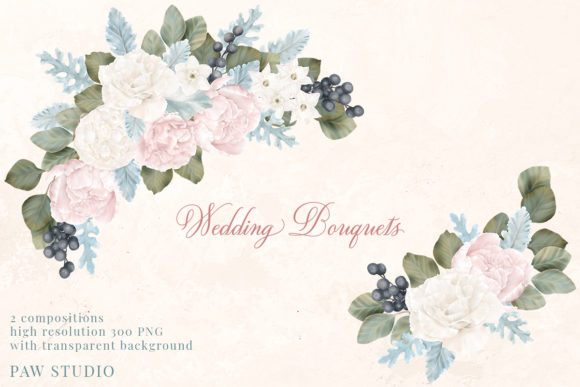
This is perhaps the most obvious application, yet it remains the most demanding. Couples today desire bespoke invitations that reflect personal aesthetics. Pre-made PNG bouquets allow designers to create custom arrangements by mixing and matching individual stems. A 3000px wide bouquet can serve as a header for an invitation suite, while individual leaves extracted from the same file can be used as corner accents on RSVP cards, ensuring visual consistency across all printed materials.
Branding and Packaging
For businesses in the beauty, skincare, and organic food sectors, botanical imagery communicates natural ingredients and sustainability. A high-resolution floral PNG can be integrated directly into packaging dielines. Because the background is transparent, the flowers can wrap around curved surfaces or interact with brand typography dynamically. The 3000px width ensures that even when scaled to fit a small cosmetic jar label, the linework remains sharp and legible.
Educational and Editorial Content
In educational materials, particularly biology textbooks or nature journals, accurate botanical illustrations are necessary for identification and engagement. Digital PNGs allow educators to overlay labels, arrows, and annotations directly onto plant specimens without obscuring the subject matter. Similarly, bloggers and content creators use these assets to break up text-heavy articles, adding visual rhythm and reinforcing thematic elements related to growth, seasons, or wellness.
Common Misunderstandings and Best Practices
Despite their popularity, PNG florals are frequently misused. Addressing these common pitfalls will elevate the quality of your work and ensure longevity in your design practice.
Misconception: All PNGs Are Vector-Quality
A frequent error is assuming that because a file is a PNG, it can be scaled infinitely like a vector graphic. This is incorrect. A 3000px x 2000px PNG is a raster image composed of pixels. If you stretch it to fit a billboard or a large-format banner, it will pixelate. Always check the pixel dimensions before committing to a layout. If you require infinite scalability, you should seek SVG or AI files instead.
Misconception: Transparent Means Ready-to-Use
Not all transparent PNGs are created equal. Poorly processed files may have jagged edges, white halos, or semi-transparent gray fringing. Before using a bouquet floral PNG, always inspect the edges at 100% zoom. Professional-grade assets should have clean anti-aliasing that blends naturally against both dark and light backgrounds. If you encounter haloing, use masking tools or defringe filters in your editing software to correct the artifact.
Best Practice: Color Management
Botanical colors can vary significantly between screens and printers. A vibrant green leaf on an RGB monitor may print as a dull olive. When working with 3000px x 2000px PNGs intended for print, verify the color profile. Many digital assets are in sRGB; for professional printing, you may need to convert to CMYK or use specific ICC profiles provided by your printer to ensure color accuracy.
Integrating Florals into the Digital Workflow
As technology evolves, so does the way we interact with static assets. Modern design tools have made utilizing bouquet floral and leaves PNGs more intuitive than ever.
- Asset Libraries: Platforms like Adobe Creative Cloud, Canva, and Figma now support cloud-based asset libraries. Uploading your curated collection of 3000px x 2000px florals to these libraries ensures team members always access the correct, high-resolution version rather than a compressed screenshot.
- AI Enhancement: New AI-powered upscaling tools can sometimes extend the utility of smaller PNGs, but starting with a native 3000px x 2000px file reduces the need for artificial enhancement. However, AI removal tools are excellent for isolating specific blooms from a larger bouquet PNG if the original file was not provided with separated layers.
- Web Optimization: While 3000px is ideal for master files, never upload the raw PNG directly to a website. Use next-generation formats like WebP or AVIF for web delivery. These formats retain transparency and quality at a fraction of the file size, improving SEO through faster page load speeds while maintaining the visual impact of the original botanical art.
Building a Broader Understanding of Digital Botanicals
Ultimately, mastering the use of bouquet floral and leaves PNG files is about more than just technical specifications; it is about understanding the intersection of nature and technology. These digital assets represent a bridge between traditional illustration and modern communication. They allow us to bring the softness of the natural world into the rigid grids of digital interfaces and the mass production of commercial printing.
By respecting the technical parameters of the 3000px x 2000px format, acknowledging the importance of transparency, and applying best practices in color and composition, designers can harness the full potential of these assets. Whether you are a student learning the basics of layering, a business owner building a brand identity, or a professional artist streamlining your workflow, high-quality floral PNGs remain an indispensable tool in the visual communicator’s arsenal. Embracing these resources with knowledge and intention ensures that your designs bloom with authenticity and professional polish.